WordPress powers over 43% of websites globally, making it a prime target for hackers. In Dubai and across the UAE, businesses rely heavily on WordPress for eCommerce, corporate websites, booking platforms, and service-based businesses—which makes malware infections a serious threat.
If your WordPress website is showing suspicious behavior, traffic drops, redirects, or security warnings, malware is likely the cause. This guide explains how WordPress malware removal works in Dubai, what causes infections, and how to secure your site long-term.
What Is WordPress Malware?
WordPress malware is malicious code injected into your website with the intent to:
- Steal data
- Redirect visitors
- Inject spam links
- Hijack admin access
- Damage your SEO rankings
Malware often hides inside:
- Theme files
- Plugin directories
- wp-config.php
- Database entries
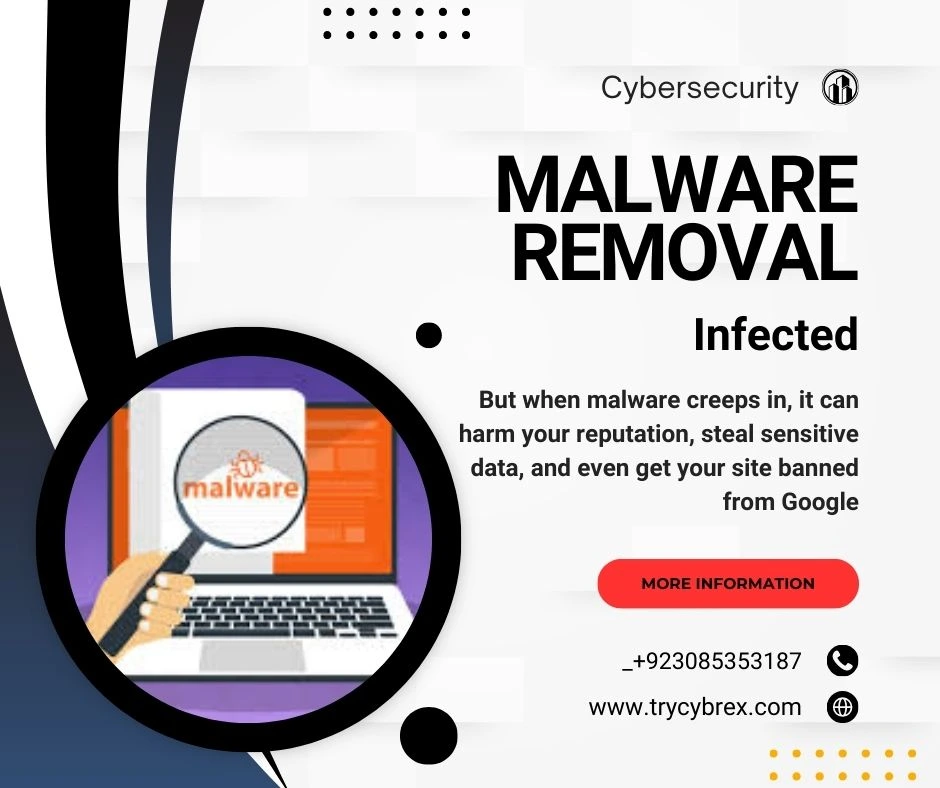
Modern malware is stealthy, meaning your site may look normal while silently infecting visitors or damaging your reputation.
Why WordPress Sites Get Hacked in Dubai
Websites in Dubai are frequently targeted because:
- High-value business and eCommerce traffic
- Outdated plugins or themes
- Weak admin passwords
- Pirated themes and nulled plugins
- Shared hosting vulnerabilities
- No firewall or security hardening
Many UAE businesses assume hosting providers handle security but WordPress security is the site owner’s responsibility.
Signs Your WordPress Website Is Infected
You may need WordPress malware removal if you notice:
- Google “This site may be hacked” warning
- Website redirecting to spam or adult sites
- Unknown admin users added
- Sudden SEO ranking drop
- Slow loading or server CPU spikes
- Hosting provider suspension
- Antivirus warnings for visitors
Important: Not all malware is visible. Some infections only activate for search engines or specific IPs.
Types of WordPress Malware Common in UAE
| Malware Type | Impact |
|---|---|
| Redirect malware | Sends users to scam sites |
| SEO spam | Injects Arabic/Chinese/Japanese spam pages |
| Backdoors | Allows hackers permanent access |
| Credit card skimmers | Steals payment data |
| File injection | Infects core WordPress files |
Dubai-based eCommerce sites are especially vulnerable to payment skimming malware.
Why DIY Malware Removal Is Risky
Many site owners try free plugins or manual cleanup but this often makes things worse.
Risks of DIY cleanup:
- Missing hidden backdoors
- Reinfection within days
- Breaking core site functionality
- Permanent SEO penalties
- Data loss
Malware today is polymorphic and regenerates if not fully removed.
Professional WordPress Malware Removal Process
A professional malware cleanup follows a structured approach:
1. Full Security Scan
- File integrity check
- Database malware detection
- Hidden backdoor analysis
2. Malware Cleanup
- Remove malicious code
- Clean infected files
- Restore safe core files
3. Vulnerability Fixing
- Patch outdated plugins/themes
- Remove nulled software
- Fix insecure configurations
4. Security Hardening
- Firewall setup
- Login protection
- File permission fixes
5. Blacklist Removal
- Google Safe Browsing review
- Search Console cleanup requests
This ensures complete removal, not just surface-level cleaning.
How Long Does WordPress Malware Removal Take?
| Website Type | Time Required |
|---|---|
| Small business site | 3–6 hours |
| Corporate site | 6–12 hours |
| eCommerce store | 12–24 hours |
| Severely infected | 24–48 hours |
Emergency cleanup is often available for Dubai-based businesses needing immediate recovery.
Cost of WordPress Malware Removal in Dubai
Pricing depends on infection severity and site size.
Typical price ranges in UAE:
- Basic cleanup: AED 300 – 600
- Advanced malware removal: AED 700 – 1,500
- eCommerce & skimmer removal: AED 1,500+
⚠️ Cheap services often skip post-cleanup security, leading to reinfection.
How to Secure WordPress After Malware Removal
Post-cleanup security is critical:
- Install a Web Application Firewall (WAF)
- Enable 2FA for admins
- Limit login attempts
- Regular off-site backups
- Real-time malware monitoring
- Secure hosting environment
Security is not a one-time task—it’s an ongoing process.
Choosing a WordPress Security Expert in Dubai
When selecting a malware removal service, look for:
- Proven WordPress security experience
- Manual (not automated-only) cleanup
- Clear reporting
- Post-cleanup security hardening
- Understanding of UAE hosting environments
Avoid services that promise “100% hack-proof” guarantees—no site is immune.
When to Get Emergency WordPress Malware Cleanup
You need urgent help if:
- Your site is redirecting visitors
- Google blacklisted your domain
- Hosting suspended your website
- Customer data may be compromised
In such cases, delays increase damage.
Final Thoughts
WordPress malware infections can destroy trust, traffic, and revenue, especially in competitive markets like Dubai. Professional WordPress malware removal ensures your site is clean, secure, and trusted by search engines.
If your website shows even one warning sign, it’s better to act early than recover later.
6. FAQ (Schema-Ready)
Q1: Can malware come back after removal?
Yes, if backdoors or vulnerabilities aren’t fixed, reinfection is common.
Q2: Will malware removal fix SEO issues?
Yes, once malware is removed and Google penalties are lifted, rankings can recover.
Q3: Is WordPress secure for businesses in Dubai?
Yes, when properly maintained, secured, and monitored.
Q4: Should I change passwords after cleanup?
Absolutely. All admin, hosting, and database passwords should be reset.
Q5: Can hosting providers remove malware?
Most hosts only suspend sites; they don’t perform full malware cleanup.